
An ecommerce category can look beautifully effortless to a shopper and still be nearly invisible to a search engine.
That is why I do not treat pagination, “Load More,” and infinite scroll as three mutually exclusive SEO systems. They are shopper interfaces. The crawl architecture underneath them is a separate decision—and separating those two layers is the key to getting ecommerce pagination SEO right.
For most stores, my default recommendation is a Load More interface supported by crawlable paginated component URLs. It gives shoppers a fluid experience without asking Google to click a button or scroll. Traditional pagination is still the safer choice for very large, search-led catalogs or limited development capacity. Infinite scroll belongs in a narrower set of discovery-led stores with strong engineering support.
This guide explains how to make that decision, whether paginated category pages should be indexed and self-canonicalized, and what developers need to build behind the interface.
Table of Contents
Pagination SEO for Ecommerce: The Short Answer
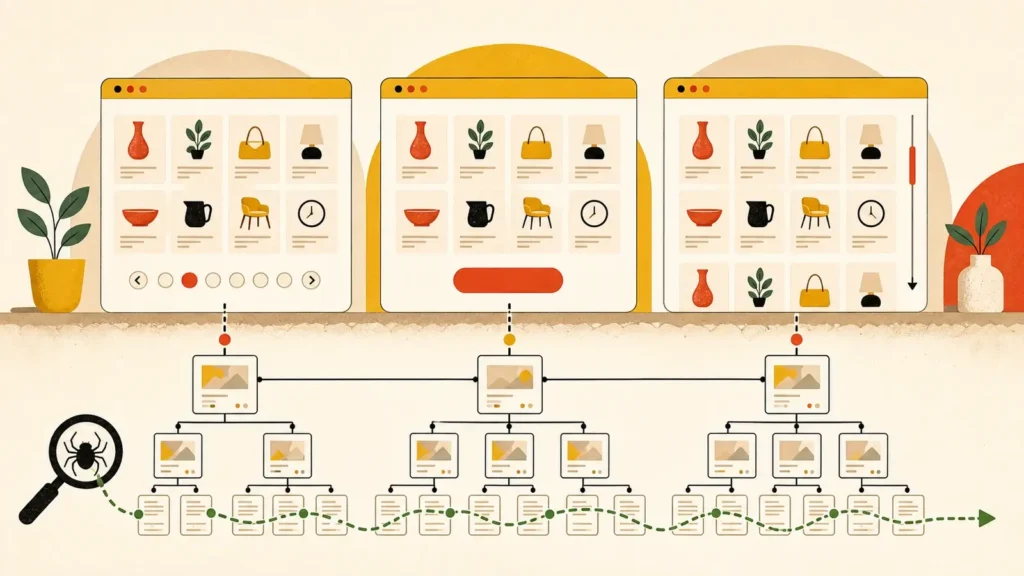
Ecommerce pagination SEO works best when every product batch has a unique, persistent, crawlable URL, even if shoppers see Load More or infinite scroll. Keep valid paginated category pages indexable and self-canonicalized by default. Choose the visible interface for shoppers, then preserve linked component pages underneath so search engines can discover the full catalog.
Here is the high-level decision:
- Choose traditional pagination when shoppers search deliberately, compare across batches, need stable locations, or browse very large categories.
- Choose Load More for the best general-purpose balance between mobile-friendly browsing, shopper control, and manageable technical risk.
- Choose infinite scroll only when continuous discovery is central to the shopping experience and the development team can support component URLs, browser history, position restoration, accessibility, and performance.
The wrong question is, “Which one does Google prefer?” Google needs crawlable URLs and links. Shoppers need an interface suited to how they explore and compare products.
The Best Ecommerce Setup Separates UX From Crawl Architecture
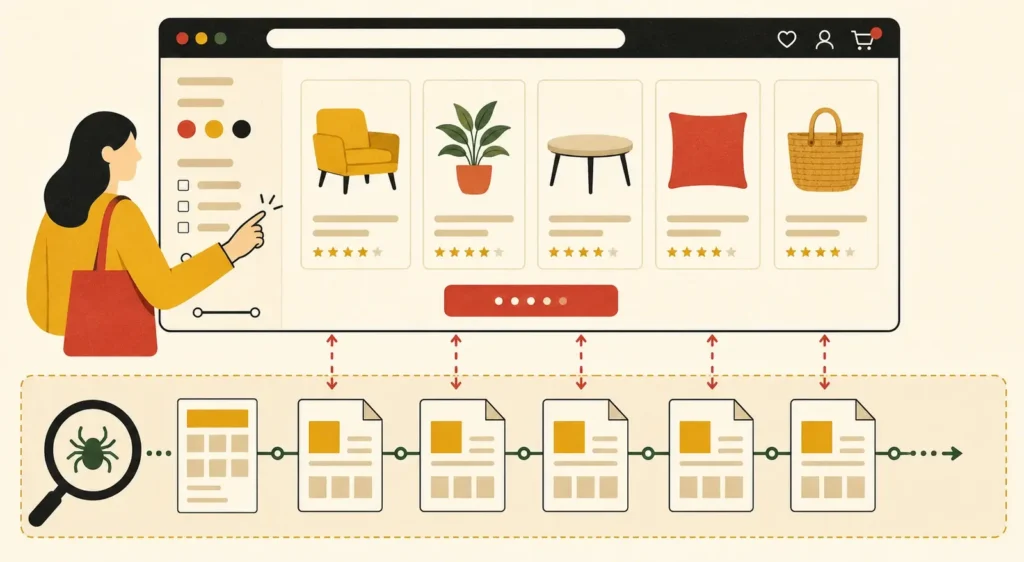
The central ecommerce pagination decision has two layers: what shoppers interact with and what crawlers can follow. A store can show a Load More button or automatically append products while still exposing paginated URLs such as /women/dresses?page=2. The interface can change without sacrificing a durable crawl path through the catalog.
Think of it this way:
1. The interface layer controls how shoppers request and view the next products.
2. The crawl layer gives every product batch a stable URL and links those batches together.
That distinction solves the false choice running through many pagination articles. “Load More” does not have to mean “JavaScript-only.” Infinite scroll does not have to mean “one enormous, crawler-inaccessible URL.” Traditional pages can exist as component URLs even if shoppers rarely see page-number buttons.
Google says crawlers generally discover content through URLs in <a href> elements and do not reliably click buttons or trigger user-dependent JavaScript. Its current ecommerce guidance therefore recommends unique URLs for paginated pages and crawlable sequential links. Google’s pagination and incremental loading documentation is the architectural baseline, not a mandate for one visible UX.
This is also why I write ecommerce SEO requirements as developer acceptance criteria rather than a vague instruction to “make infinite scroll crawlable.” The exact URLs, links, canonical tags, response codes, history behavior, and test cases belong in the ticket.
| Decision Factor | Traditional Pagination | Load More | Infinite Scroll |
| Best Ecommerce Fit | Large or comparison-heavy categories | Most mixed-intent catalogs | Visual, discovery-led catalogs |
| Shopper Control | High | High | Lower unless carefully designed |
| Stable Location | Native | Must be engineered | Must be engineered |
| Crawlability by Default | Strong | Weak without component links | Weak without component links |
| Mobile Browsing | More interruption | Smooth and deliberate | Smoothest |
| Performance Risk | Lower | Moderate and controllable | Highest as the session grows |
| Development Complexity | Lowest | Moderate | Highest |
| Recommended Crawl Layer | Self-canonical pages | Paginated component URLs | Paginated component URLs |
How Pagination, Load More, and Infinite Scroll Affect Ecommerce SEO
Pagination is the clearest crawl baseline, Load More is usually the strongest ecommerce compromise, and infinite scroll carries the greatest implementation risk. None is automatically good or bad for SEO. The outcome depends on whether every product batch remains discoverable, indexable when appropriate, stable across requests, and usable when JavaScript or shopper actions are unavailable.
Traditional pagination gives shoppers explicit boundaries and a predictable way to return to page 4. That helps when people compare technical products, prices, or specifications across a long category.
Load More removes repeated full-page transitions without taking control away. Shoppers decide when to fetch another batch, the footer stays reachable, and the page does not grow automatically forever.
Baymard’s ecommerce UX research recommends Load More with lazy loading over traditional pagination or endless scrolling for product lists in many contexts, but the SEO architecture still needs to be added underneath. Baymard’s ecommerce UX guidelines support the interface decision; Google’s documentation supports the crawl decision.
Infinite scroll can be engaging for fashion, décor, art, and other discovery-heavy categories. It also makes browser history, product-return position, footer access, focus handling, analytics, memory use, and crawlability more difficult. That engineering cost should be justified by observed shopper behavior—not by a desire to make the store feel like social media.
Should Paginated Ecommerce Category Pages Be Indexed and Self-Canonicalized?
Yes – valid paginated ecommerce category pages should generally remain crawlable, indexable, and self-canonicalized. Page 2 should canonicalize to page 2, not page 1. Indexability does not guarantee every page will rank, but it lets search engines process the sequence and discover products that are not linked prominently elsewhere. Filter and sort variants require separate rules.
For a standard sequence, use a unique URL for each component:
| <link rel=”canonical” href=”https://example.com/women/dresses?page=2″> |
Then connect component pages with normal links:
| <a href=”/women/dresses?page=3″>Next</a> |
The preferred first page should normally be the clean category URL:
| /women/dresses/ |
Avoid making ?page=1 the preferred version if it duplicates that clean URL. Keep ordering stable so products do not jump unpredictably between component pages, and return a proper 404 for page numbers beyond the final batch.
There are exceptions, but they are usually symptoms of a broader architecture problem. If thousands of thin pagination URLs exist because empty categories, broken parameters, or uncontrolled facets generate them, I would fix the generation and linking rules rather than apply noindex to every legitimate page in the sequence.
Also separate pagination parameters from filter and sort parameters. A page such as ?page=3 represents another component of the default category. A URL such as ?color=red&sort=price-low represents a different selection or order. Whether that variation deserves indexing depends on demand, uniqueness, inventory depth, internal linking, and your ecommerce site structure.
What Changed: Google Now Recommends Self-Canonical Pagination
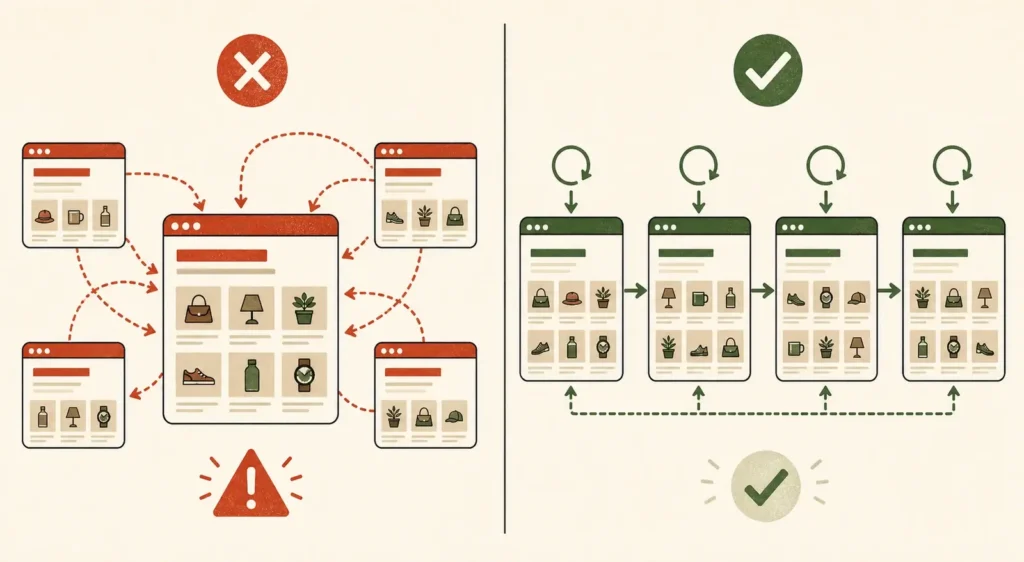
Current Google guidance says each paginated component should have its own canonical URL and should not canonicalize back to page 1. That makes older recommendations to use noindex, follow across paginated pages or avoid self-canonicals unreliable as a default. The correct modern baseline is unique component URLs, self-canonicals, crawlable links, and deliberate parameter control.
This matters because some otherwise useful ecommerce pagination articles still contain older advice. For example, the NOVOS guide currently recommends noindex, follow and says not to use a canonical on paginated pages, while also correctly explaining that Load More or infinite scroll can retain pagination underneath.
Two other updates are worth making explicit:
- Google no longer uses rel=”next” and rel=”prev” as indexing signals. You may retain them for other reasons, but they do not replace crawlable links.
- Canonicalization is not a crawl-budget switch. Canonical tags help consolidate duplicate signals; they do not stop a crawler from requesting every linked URL.
I would not remove valid paginated pages from the index simply because they are unlikely to become landing pages. Their first job may be product discovery and sequence processing. Give search engines a clean architecture, then let them decide which eligible URL is useful enough to surface.
Is Load More or Infinite Scroll Better Than Pagination for Ecommerce SEO?
For ecommerce SEO, pagination is the safest crawl baseline, while Load More is usually the better shopper interface. Infinite scroll is not inherently worse, but it is harder to implement correctly. The strongest general solution combines Load More with crawlable paginated component URLs, giving shoppers continuity while preserving links, canonicals, stable batches, and full product discovery.
My usual order of preference is:
1. Load More plus paginated component URLs for mixed-intent ecommerce categories.
2. Visible pagination for large, deliberate, comparison-led catalogs or teams that need the lowest-risk implementation.
3. Infinite scroll plus component URLs for discovery-led catalogs with proven user demand and strong technical capacity.
The phrase “better for SEO” can hide two different questions. If you mean, “Which interface can a crawler process with the least engineering?” pagination wins. If you mean, “Which complete setup best balances organic discovery and ecommerce usability?” Load More with a paginated crawl layer often wins.
The category should still work as an information system. Shoppers need to open a product, return to the same place, share or revisit a useful state, reach the footer, change filters, and avoid downloading hundreds of product cards they never view. Organic performance is not protected if the crawl path works, but the experience damages engagement or conversion.
When Traditional Pagination Is Best for Ecommerce
Traditional pagination is best when shoppers need control and orientation more than uninterrupted discovery. It fits large catalogs, specification-heavy products, B2B inventory, comparison-led shopping, and teams with limited development capacity. It is also the clearest fallback when a store cannot reliably build history management, scroll restoration, accessible dynamic loading, and component-URL testing.
Choose visible pagination when:
- Major categories contain thousands of products.
- Shoppers commonly compare options across batches.
- Filters and sorts already create complex URL states.
- Product cards are media-heavy or expensive to render.
- Analytics shows purposeful search rather than continuous browsing.
- The engineering team needs a durable, low-maintenance implementation.
Pagination’s UX weakness is interruption. A full page change can feel slow on mobile, and shoppers may hesitate to click through many pages. Improve it with fast responses, sensible batch sizes, clear next and previous controls, preserved filters, and strong ecommerce internal linking to products and subcategories.
Do not build a wall of links to every possible page. Provide sequential crawlable links and a useful set of nearby choices. The architecture should help both a shopper and a crawler move through the sequence without turning the category footer into a 200-link sitemap.
When Load More Is the Best Ecommerce Compromise
Load More is the best fit for many ecommerce stores because it supports continuous browsing without removing shopper control. It works especially well for mobile-heavy, mixed-intent categories with a moderate or large product range. Its SEO success depends on keeping paginated component URLs and crawlable links available underneath the JavaScript-enhanced interface.
A robust implementation should:
- Render the first batch at the clean category URL.
- Map each additional batch to a unique component URL.
- Preserve stable product ordering across requests.
- Make each component reachable through crawlable links.
- Keep the control keyboard accessible with a clear label.
- Manage focus so new content is announced without disorienting the shopper.
- Restore the previous position when a shopper returns from a product page.
- Lazy-load offscreen product media without hiding discoverable product links.
This gives shoppers a deliberate pause point. They can decide whether another batch is useful, and the store can measure button interaction as a clear event. It also prevents uncontrolled page growth and makes the footer reachable.
If you change the visible URL as more products load, do it only when the newly loaded component becomes the primary content in view. Google’s lazy-loading and infinite-scroll guidance recommends persistent component URLs and the History API rather than fragment identifiers.
When Infinite Scroll Makes Sense for Ecommerce
Infinite scroll makes sense when browsing itself is the product experience: visual inventory, frequent mobile sessions, low-friction discovery, and relatively lightweight cards. It should earn its complexity through user evidence. Without stable component URLs, history updates, position restoration, accessible controls, and performance safeguards, it creates more ecommerce risk than value.
Before approving it, I would want evidence that shoppers repeatedly consume several batches and that artificial stopping points interfere with discovery. I would also want a team able to meet these requirements:
- Every loaded component has a unique, persistent URL.
- Search engines can reach components through sequential <a href> links.
- The History API reflects the component primarily in view.
- Reloading a component URL shows the same product batch.
- Back navigation restores the shopper’s position and state.
- Keyboard and assistive-technology users can operate the experience.
- The footer and essential controls remain reachable.
- Old content can be managed without breaking position or consuming excessive memory.
- Analytics does not inflate category views or lose product-impression context.
Test WooCommerce speed across long sessions, not only the initial page load. A strong first Contentful Paint does not compensate for a category that becomes sluggish after twelve appended batches.
Use the Ecommerce Pagination SEO Decision Matrix
The decision matrix below turns these tradeoffs into a store-specific recommendation. It scores catalog depth, shopper intent, comparison behavior, mobile share, filter complexity, product-card weight, engineering capacity, and location needs. The output names the shopper interface, the crawl architecture beneath it, a runner-up, and developer acceptance criteria for implementation.
Treat the result as a decision brief, then validate it with category analytics, session recordings, shopper research, rendered-HTML testing, and a controlled rollout. If two options score closely, test the lower-complexity option first.
The Ecommerce Pagination SEO Implementation Checklist
A successful implementation makes every useful product batch reachable without requiring a crawler to click, scroll, or execute a particular interaction. It also keeps component URLs consistent for shoppers and search engines. Use this checklist as acceptance criteria, then add store-specific rules for facets, out-of-stock inventory, localization, analytics, and frontend performance.
URL and Indexation
- Give every component page a unique, persistent URL.
- Keep valid default-category pagination URLs indexable by default.
- Add a self-referencing canonical to each component.
- Canonicalize the duplicate ?page=1 version to the clean category URL.
- Return 404 for impossible or empty page numbers.
- Do not put fragment identifiers such as #page=2 in place of URLs.
Links and Product Discovery
- Use real <a href> links between sequential component pages.
- Ensure products loaded after the first batch also exist in rendered component HTML.
- Keep ordering stable enough that products do not disappear between requests.
- Link priority subcategories and products through the broader site architecture.
- Do not rely on XML sitemaps to compensate for weak internal links.
JavaScript, UX, and Performance
- Enhance the crawlable baseline instead of replacing it.
- Preserve active filters, sorts, and position on Back.
- Update history only when the visible primary component changes.
- Test keyboard flow, focus, announcements, and footer access.
- Lazy-load images and noncritical media, not essential product links.
- Measure Core Web Vitals and memory during a long browse session.
Faceted Navigation
- Decide which filtered categories deserve organic landing pages based on demand and inventory.
- Prevent low-value sort, tracking, and combinatorial parameter URLs from multiplying.
- Keep canonical, robots, linking, and sitemap rules consistent.
- Monitor Google Search Console for unexpected parameter discovery and duplicate clusters.
How to Test Pagination, Load More, or Infinite Scroll Before Launch
Testing should prove that products are discoverable, component URLs are stable, and the shopper can leave and return without losing context. Do not stop at clicking through the interface in a desktop browser. Inspect rendered HTML, request component URLs directly, test no-interaction discovery, and measure performance after multiple batches have loaded.
My pre-launch test sequence is:
1. Open every sample component URL directly and confirm it returns the intended batch.
2. Inspect the rendered HTML for crawlable product and sequential links.
3. Confirm each component’s canonical points to itself.
4. Reload, use Back and Forward, and open products in the same and new tabs.
5. Test mobile, keyboard, reduced-motion, and slow-network behavior.
6. Check invalid and out-of-range URLs return the correct status.
7. Verify filter and sort parameters follow the documented indexing rules.
8. Run Google’s URL Inspection on representative component pages after release.
9. Compare product discovery, category engagement, revenue, and crawl patterns before and after rollout.
For a commercial forecast alongside the technical decision, use the ecommerce SEO ROI calculator. The matrix chooses an architecture; the calculator helps frame the value of improving organic visibility and conversion.
Choose the Shopper Experience, Then Protect the Crawl Path
The best ecommerce pagination setup is not a universal widget. It is a shopper-interface decision supported by a separate crawl architecture. For most stores, I would start with Load More over self-canonical paginated component URLs, use visible pagination where control and simplicity matter most, and reserve infinite scroll for proven discovery behavior.
That order keeps the decision grounded in ecommerce reality. Shoppers get an experience suited to browsing and comparison. Search engines get persistent URLs and links. Developers get testable acceptance criteria instead of an ambiguous request to “fix pagination SEO.”
If your category architecture, faceted navigation, indexation, and JavaScript rendering have become tangled together, Phrase It’s ecommerce SEO services can turn the problem into a prioritized technical plan. Get in touch and I’ll help you choose the right interface, define the crawl layer, and give your developers requirements they can actually implement.
Frequently Asked Questions About Ecommerce Pagination SEO
These are the questions I see most often when ecommerce teams try to reconcile Google’s current guidance with older pagination advice. The answers below assume a standard product-category sequence. Faceted navigation, search-result pages, localization, discontinued inventory, and unusual rendering systems may require different indexation and canonical rules.
What Is Pagination in Ecommerce SEO?
Pagination divides a long ecommerce category into ordered product batches with distinct URLs. For SEO, those URLs create paths through inventory that may not appear on the first category page. Good pagination uses stable ordering, crawlable links, valid response codes, and a self-canonical URL for each legitimate component.
Is Pagination Good or Bad for SEO?
Pagination is neither inherently good nor bad for SEO. It is useful when it creates a clear crawl path through products and harmful when it generates duplicate, unstable, empty, or unlinked URLs. The quality of the URL, linking, canonical, parameter, and inventory rules determines the outcome.
Should Paginated Ecommerce Category Pages Be Indexed?
Valid category pagination pages should generally be eligible for indexing. They may not all rank, but indexability lets search engines process the sequence and discover deeper products. Do not use blanket noindex, follow as the default. Control duplicate filters, sorts, empty pages, and malformed parameters separately.
Should Paginated Pages Have a Self-Referencing Canonical?
Yes. Google’s current guidance says each paginated page should have its own canonical URL. Page 2 should self-canonicalize to page 2 rather than point to page 1. The clean category URL remains the canonical for the first component and any duplicate ?page=1 version.
Is Load More Better Than Pagination for Ecommerce SEO?
Load More can provide a better shopping experience, but pagination is easier for crawlers by default. A hybrid is usually stronger: show Load More to shoppers while retaining unique, self-canonical paginated component URLs and sequential links underneath. The button should enhance the crawlable architecture, not become the only route to more products.
Is Infinite Scroll Bad for Ecommerce SEO?
Infinite scroll is risky, not automatically bad. It becomes an SEO problem when later products require scrolling or JavaScript interactions that crawlers cannot reproduce. It can work with persistent component URLs, crawlable links, History API updates, stable batches, accessible behavior, position restoration, and careful performance management.
Does Google Still Use Rel Next and Prev?
Google no longer uses rel=”next” and rel=”prev” as indexing signals. They do not replace standard crawlable links between components. If another system benefits from those attributes, they can remain, but build Google discovery around unique URLs and normal <a href> links.
Is Pagination the Same as Lazy Loading?
No. Pagination divides a collection into addressable components. Lazy loading delays downloading or rendering resources until they are needed. A store can use both: paginated component URLs for product discovery and lazy-loaded images for performance. Do not lazy-load essential links in a way that hides products from rendered HTML.